

Your PC. In your hands.
SysCubes
A modular Windows PC command center for everyday use.
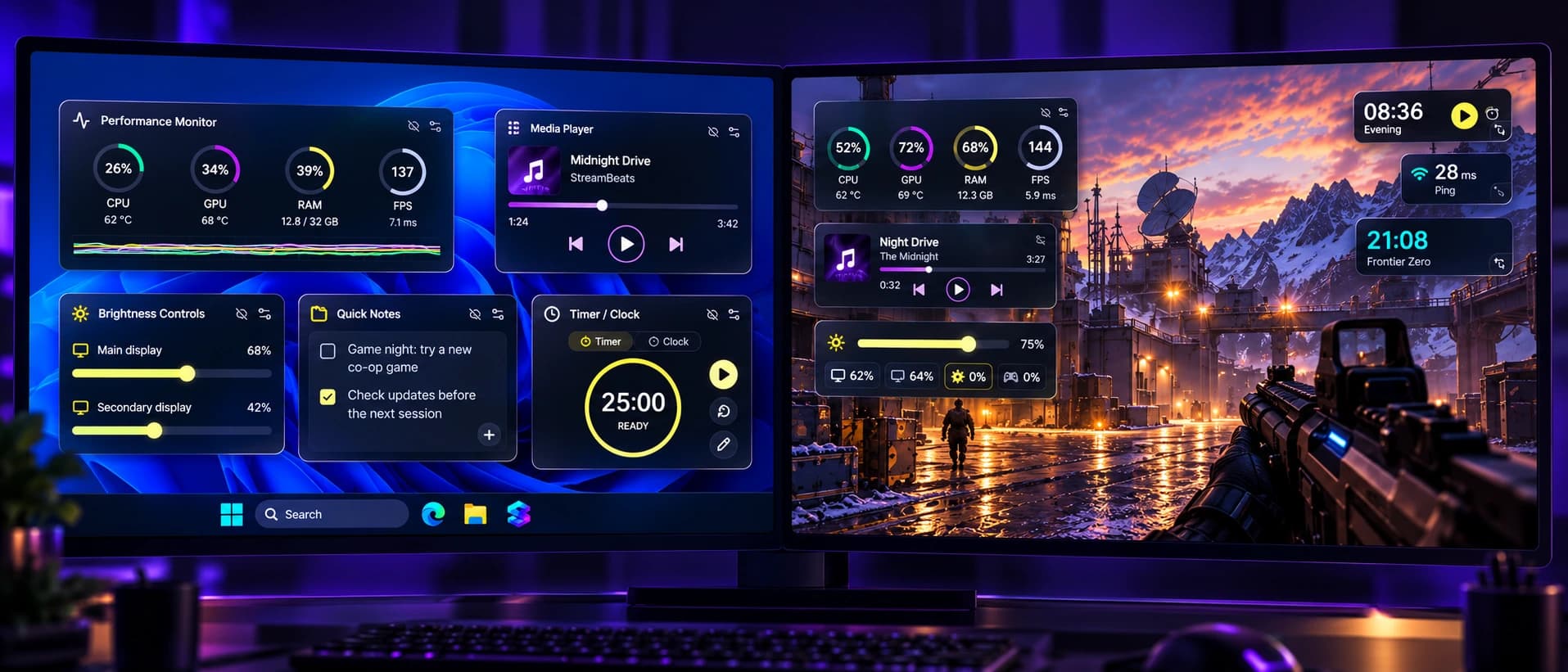 On WindowsIn your game
System insights
Live performance
at a glance
Keep track of CPU, GPU, RAM, FPS and temperatures with clean, easy-to-read widgets. Spot issues early and keep your PC running smoothly.
Audio, media & brightness
Control your setup
your way
Adjust media playback, system volume and screen brightness without leaving what you’re doing. Keep the right mood for work, play or anything in between.
Stay organized
Notes, timers
and handy tools
Jot down quick notes, keep track of tasks and set timers right on your desktop or in-game. All the little tools you actually use, in one place.
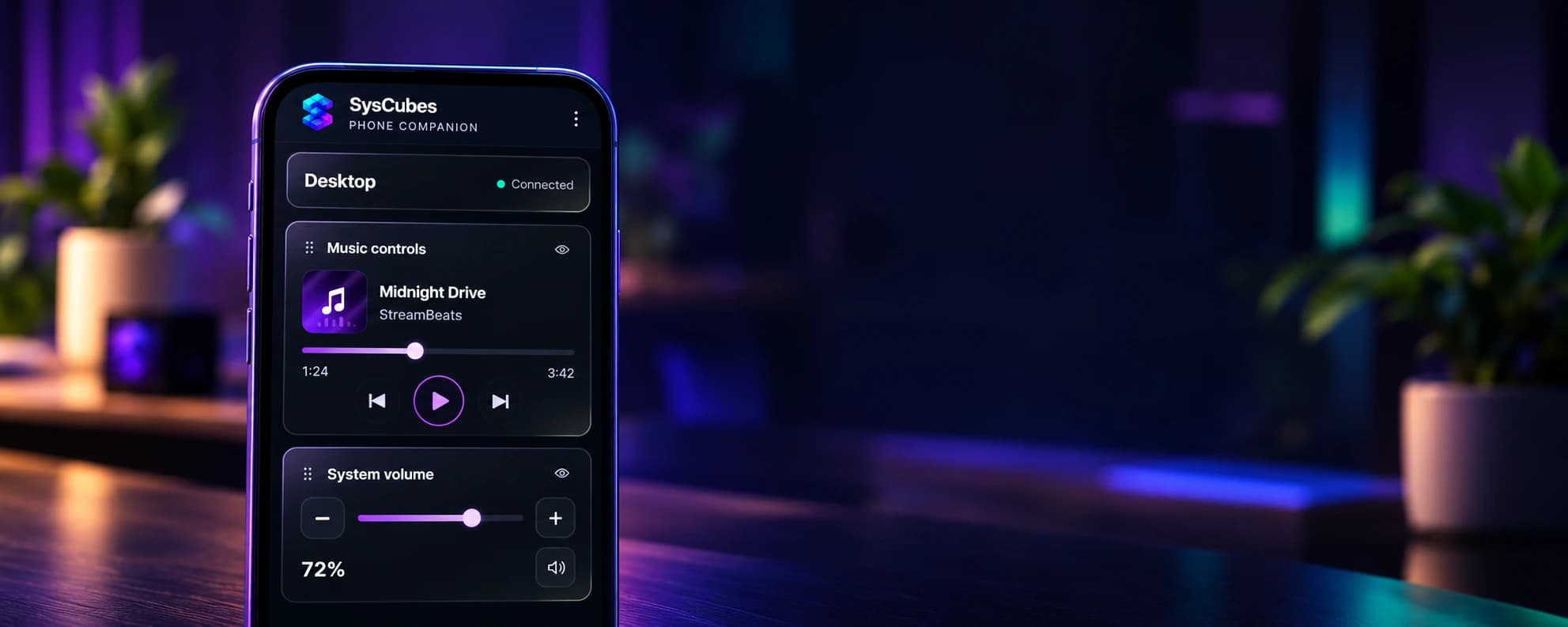
Browser-based phone control
Your phone,
part of your PC
Use your phone as a control panel for SysCubes. Adjust media, volume and more from a clean, browser-based interface. No app install needed.
Learn more about Phone CompanionGet started
Install on Windows
Choose the standalone app or the Overwolf version, then make your PC your own.
How to installGuides & setup
Learn and customize
Get the most out of SysCubes with step-by-step guides, tips and useful ideas.
Explore the guideSupport
We’re here to help
Find answers, troubleshooting tips and help getting your setup just right.
Visit the support centerFAQ
Common questions
Everything you need to know to get started with SysCubes.
What is SysCubes?
SysCubes is a modular Windows PC command center. Bring performance stats, music controls, volume, brightness, notes and timers together in a layout that works for you - on your desktop, a second screen or over a supported game.
How do I install SysCubes on Windows?
Choose the standalone Windows app or the Overwolf version on the download page. Follow the installation steps, then choose your widgets and arrange your first layout.
Do I need Overwolf?
No. SysCubes is available as a standalone Windows app, so you can use it without installing Overwolf.
Can I use SysCubes outside a game?
Absolutely. Use the desktop layout for work, music and everyday PC tasks, or keep it on a second monitor. Game-specific features such as game FPS depend on a supported running game.
Can I use SysCubes in any game?
Overlay and capture availability depend on Overwolf support for your game. Hardware sensors, media controls and monitor brightness also depend on your PC and connected devices.
How does the phone companion work?
Open Phone companion in SysCubes, scan the QR code and enter the pairing code in your phone’s browser. Keep both devices on the same trusted Wi-Fi. You choose which controls to share from your PC; no phone app is required.