
How to free up RAM for PC gaming: safe memory management & stop stutter
Direct Answer: Modern games need 16GB-32GB of RAM. Do not use shady 'RAM Cleaner' tools that cause severe micro-stutter by flushing active memory. Instead, enable Sleeping Tabs in browsers, configure fixed virtual memory (pagefile) on an SSD, and use SysCubes Process Monitor to spot real memory hogs.
Option 1: Optimize Browser Memory & Startup Services
Modern web browsers (Chrome, Edge) and background launchers can easily consume 3GB to 6GB of system RAM when left open with multiple tabs.
Reclaim 2-4GB instantly Enabling Memory Saver sleeping tabs frees gigabytes of memory without closing your open browser sessions.
- In Google Chrome or Microsoft Edge, go to Settings > Performance and enable Memory Saver / Sleeping Tabs.
- In Discord settings, turn off 'Open Discord' under Windows Startup settings.
- Close redundant client store launchers (Epic Games, Battle.net, EA app) while playing games on Steam.
Option 2: Configure a Healthy Virtual Memory Pagefile
Disabling the Windows Pagefile or letting it fragment across slow drives causes games to crash with 'Out of Memory' errors even when physical RAM appears available.
Crash prevention A fixed 8GB-16GB pagefile located on your fastest NVMe SSD provides an overflow safety net that prevents hard game crashes.
- Press Win + R, type
sysdm.cpl, click Advanced > Performance Settings > Advanced > Change. - Uncheck 'Automatically manage paging file size for all drives'.
- Select your fastest SSD, choose Custom size, and set Initial size to
8192 MBand Maximum size to16384 MB. - Click Set and restart your PC.
Option 3: Avoid 'RAM Cleaner' & Memory Optimizer Utilities
Third-party 'RAM Cleaners' promise to clear memory by forcing Windows to flush standby caches to disk. This actually increases stutter because cached assets must be re-read from storage.
Free RAM vs cached RAM Windows caches game assets in Standby RAM so they load instantly. Forcing RAM empty turns smooth texture loading into stutter.
- Uninstall third-party memory booster software and automatic cleaning scripts.
- Trust Windows 10/11's SuperFetch / SysMain engine to release standby memory instantly when a game requests it.
- If memory fragmentation causes genuine issues, use Microsoft's official RAMMap (Empty Standby List) rather than auto-cleaners.
Option 4: SysCubes In-Game Process Monitor HUD Recommended In-Game Resource Tool

SysCubes includes a built-in in-game Process Monitor overlay that displays live CPU, GPU, and RAM consumption for every running application without Alt-Tabbing to Task Manager.
Real-time memory tracking Spot memory-leaking background apps and verify game RAM usage directly inside your in-game HUD.
- Download SysCubes free for Windows via Overwolf.
- Toggle the Process Monitor overlay widget to inspect active memory consumers while inside your game.
- Identify background tasks exceeding 500MB of RAM and close them to restore smooth 1% low frametimes.
Monitor real memory usage in-game
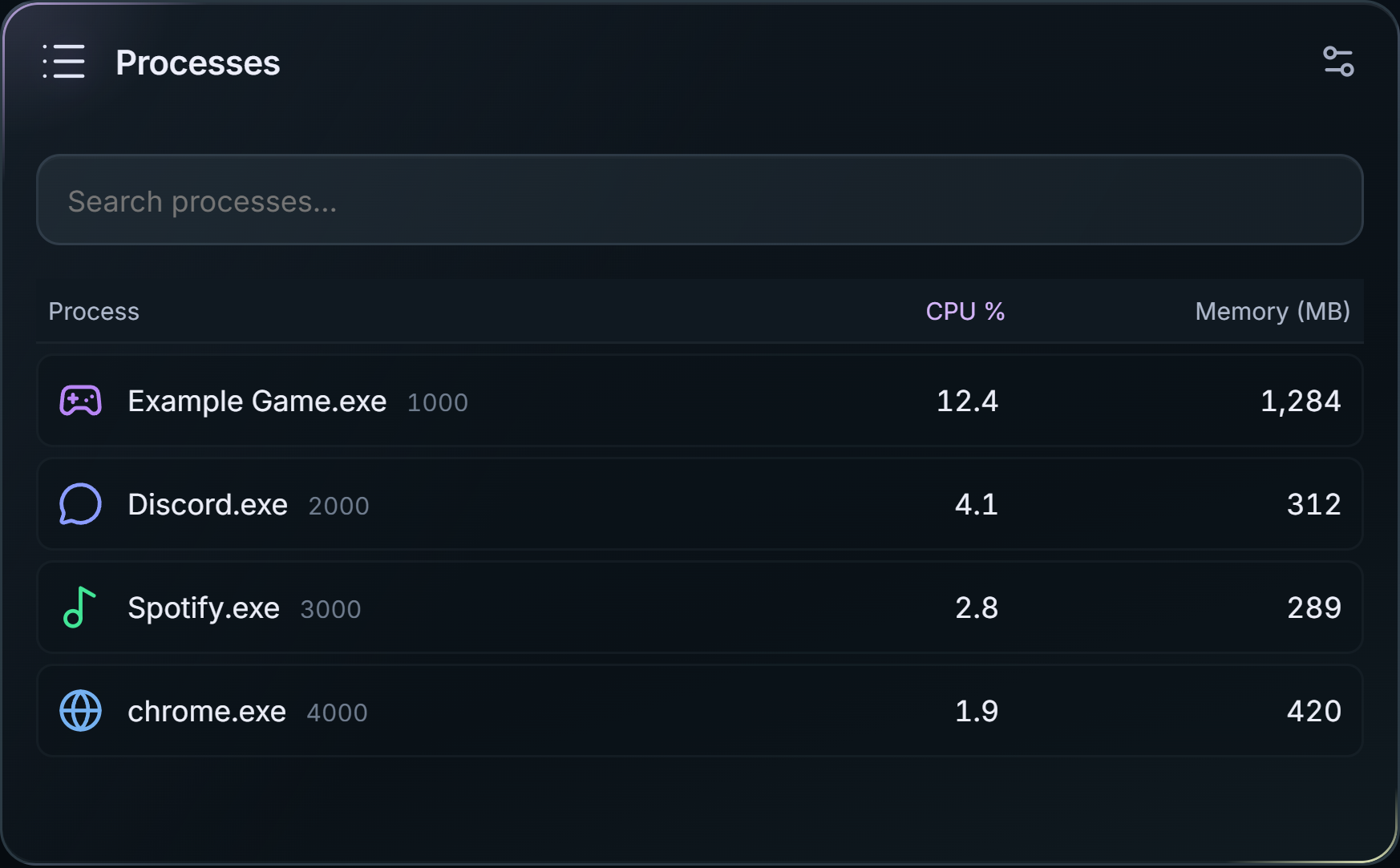
Identify background RAM hogs in real-time without alt-tabbing to Task Manager.
Common RAM and memory questions in gaming
Is 16GB of RAM enough for PC gaming in 2026?
16GB is the minimum baseline for modern PC gaming. While most titles run fine on 16GB, running Discord, Spotify, and a browser alongside heavy games like Cyberpunk or Warzone can push usage to 95%, causing micro-stutter.
Why does Windows show high RAM usage when nothing is open?
Windows uses unused RAM as 'Standby Memory' to cache frequently used files and applications. This is normal and beneficial; Windows releases this memory instantly when a game needs it.
Do RAM cleaners actually speed up PC games?
No. RAM cleaners forcefully flush data from fast memory to slow disk storage. When the game immediately requests that data back, your system suffers severe frametime stutter.
Frequently asked questions about freeing up RAM for gaming
How much RAM do I need for smooth competitive gaming?
32GB (2x16GB in dual channel) is the sweet spot for modern gaming PCs. It guarantees you never run out of memory when running background voice chat, overlays, and game recording tools.
How do I check which application is using my RAM in-game?
Use SysCubes Process Monitor overlay. It shows a live breakdown of memory and CPU usage per process directly in an in-game HUD, so you do not need to Alt-Tab to Task Manager.
What is Dual Channel RAM and does it matter?
Dual Channel means using two matching RAM sticks (e.g. 2x8GB or 2x16GB) in alternating slots (slots 2 and 4). It doubles memory bandwidth and can increase 1% low gaming FPS by up to 20% compared to a single stick.
Does turning off the Pagefile make games faster?
No, never disable the Windows pagefile. Many game engines allocate virtual address space assuming a pagefile exists. Disabling it leads to crashes, even on PCs with 32GB or 64GB of RAM.
Related guides and tools
Sources and memory architecture standards
Official documentation from Microsoft Windows internals and hardware memory standards.